Commands preferences
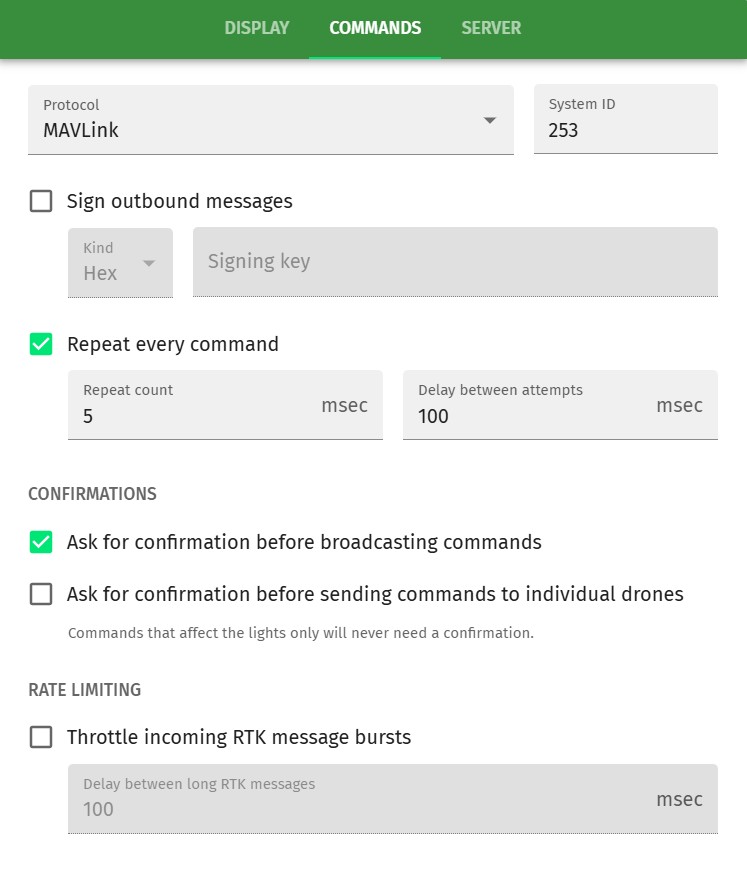
Protocol
Choose the outbound communication protocol from the following options:
- MAVLink
-
Standard MAVLink protocol, limited to 250 drones
- MAVLink (Skybrush variant, for 250+ drones)
-
Skybrush-specific extended MAVLink protocol that enables individual addressing of up to 16000 drones (see the Drones section for details on setup).
- MAVLink (WGDrones variant, for 250+ drones)
-
Custom MAVLink protocol required by WGDrones
Sign outbound messages
Enable MAVLink message signing with the given signing key.
You can select between ASCII, Hex or Base64 encoded signing key types.
Command repetition
- Repeat every command
-
Enable to send every command several times in a row
- Repeat count
-
This value defines how many times each command is sent
- Delay between attempts
-
This value defines the delay between the repetitions
Confirmations
In this section you can customize confirmations when sending commands to individual drones or broadcasting them to all drones.
Enabled confirmations raise the safety of GCS usage by potentially preventing an accidental execution of a command, but at the same time they also increase the reaction time of the control personnel in situations to be handled from the GCS.
Rate limiting
Enable Throttle incoming RTK message bursts if your flight controller or companion computer on the drone that receives the MAVLink messages sent by the GCS is not capable of parsing at the required speed due to a limited buffer or other reasons. By enabling this feature Skybrush Sidekick waits the defined milliseconds between sending consecutive fragments of long messages that needed to be split to fit into the MAVLink frame.